Peplink vs. Grandstream Switches: Compare Features and Benefits
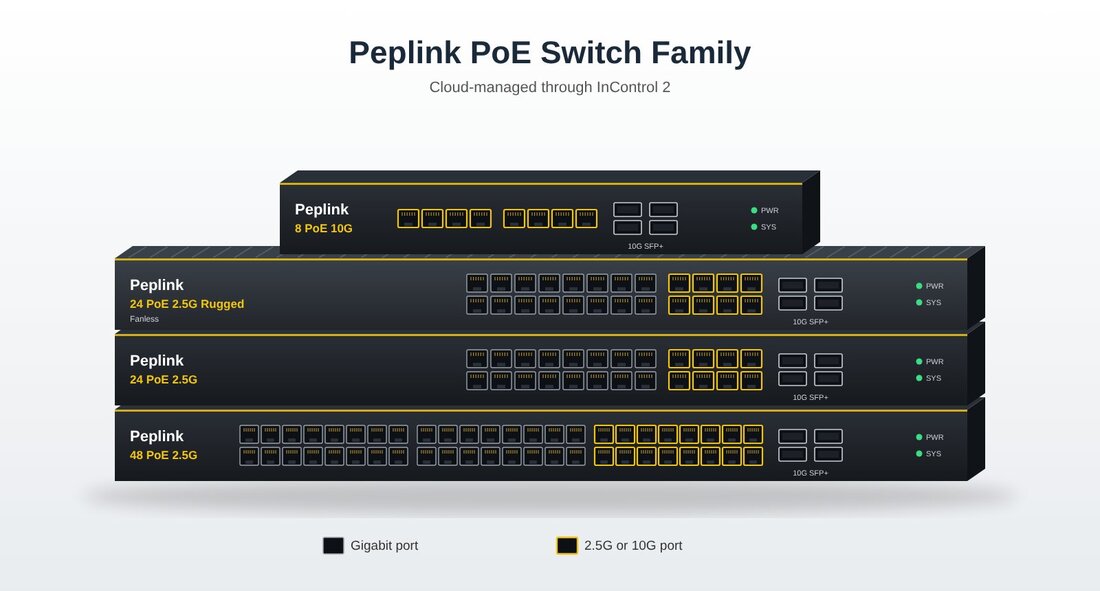
Peplink Switches vs Grandstream Switches: A Feature-by-Feature ComparisonPeplink Switches
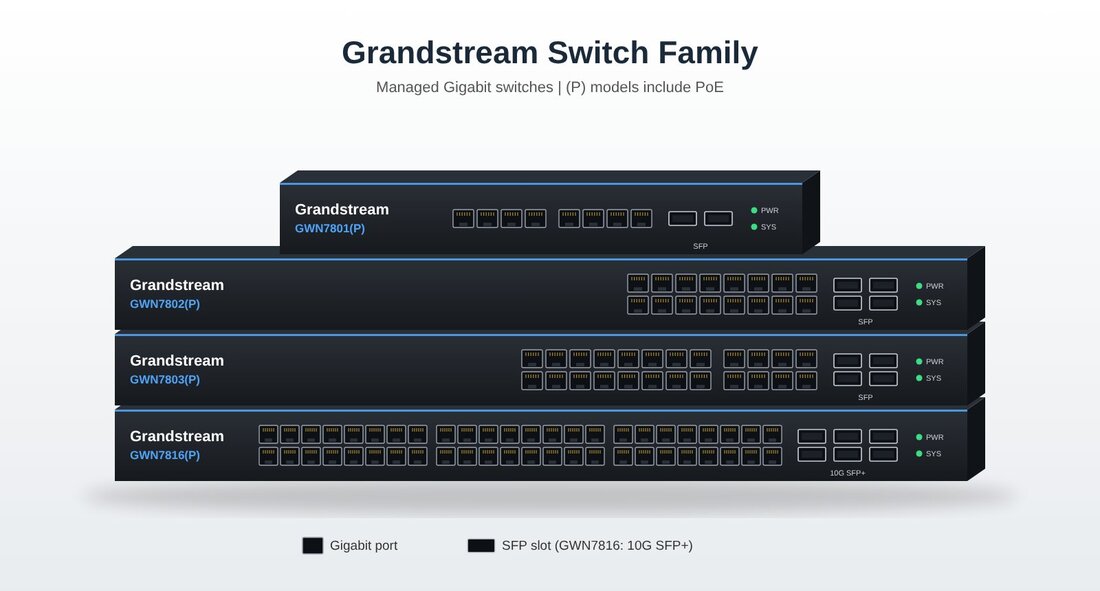
Grandstream Switches
Key Differences
Port Counts by Size
Speeds are per port. SFP and SFP+ ports are uplinks that connect switches to each other or to servers. PoE budget is the total power available for connected devices. Who Benefits From Faster PortsPeplink's current switches add 2.5G and 10G ports where Gigabit switches stop. That extra speed pays off for offices that:
A small office with mostly wired Gigabit computers may never use the extra speed. For that kind of site, a Gigabit switch is enough, and a growing business can step up to Peplink later. Feature Comparison
Bottom line: Peplink fits offices that need faster ports, higher PoE budgets, and one cloud dashboard. Grandstream fits offices that want Gigabit switching built around Grandstream phones, Wi-Fi, and cameras, from small sites to larger Layer 3 networks. Choosing a router too? Compare the options. Compare Peplink vs. Grandstream Routers Call 856-235-1411AuthorThomas Kinney is the founder and operations lead at Telephone Technology Integration LLC (TTI), where he manages everything from compliance and branding to IT infrastructure and client support. With deep expertise in VoIP systems, cloud phone deployments, and website optimization, Thomas brings a hands-on, systems-driven approach to solving business communication challenges. He is also an advocate for accessible, privacy-conscious technology. When he's not refining TTI's service architecture, he's crafting clear, actionable content to help businesses modernize with confidence. Peplink vs. Grandstream Routers: Compare Features and Benefits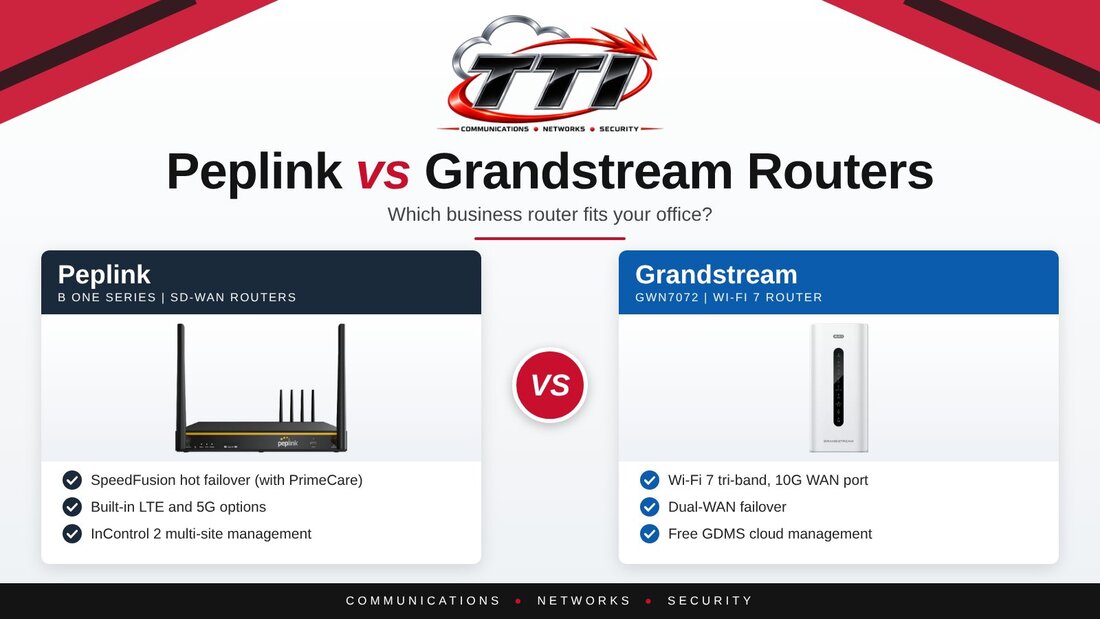
Peplink vs. Grandstream Routers at a GlanceBoth brands make business routers with multi-WAN support. Peplink focuses on SD-WAN: bonding several internet connections into one and keeping calls and sessions alive when a line fails. Grandstream focuses on straightforward networking and Wi-Fi that works closely with its phones and access points.
Which Router Is Right for Your Business?GOOD Grandstream GWN7062M
BETTER Grandstream GWN7072
BEST Peplink B One
MOST REDUNDANT Peplink B One 5G
Best Fit by Feature
Failover and SD-WANBoth brands can use more than one internet connection and fail over when a line goes down. Grandstream's multi-WAN routers, including the new GWN7072, handle load balancing and standard failover, which suits a single site well. They don't bond connections together or offer hot failover. Peplink's SpeedFusion does both (with a PrimeCare subscription), so calls and remote sessions can stay up through a failover. That makes Peplink a better fit for offices with several locations or little tolerance for downtime. Cellular ConnectivityPeplink offers routers with built-in 4G or 5G modems, which gives you a third connection for backup or for sites where wired service is limited. Grandstream routers don't have built-in cellular. Some models, such as the GWN7072, can use a USB cellular dongle; otherwise they rely on an external modem or a second wired connection. ManagementPeplink's InControl cloud platform monitors and configures many devices across many locations from one dashboard. Grandstream's routers can be managed from the router itself, from its free GDMS cloud platform, or from the on-premise GWN Manager. Both work well for a single site, and InControl is stronger when you manage many. When to Choose Peplink
When to Choose Grandstream
Planning a network? Compare the switches too. Compare Peplink vs. Grandstream Switches Call 856-235-1411Avaya IP Office Preferred Edition Upgrade: Is It Worth It?What the upgrade really involves, and when a cloud phone system makes more sense. 
Updated October 2026 Many businesses running Avaya IP Office on Essential Edition ask us the same question: should we upgrade to Preferred Edition so our staff can work remotely? We have looked at this for our own customers, and here is our honest answer. What Essential Edition Does WellEssential Edition is the base license for IP Office. It handles everyday office calling, auto attendant, hunt groups, and basic voicemail on Avaya desk phones. For an office where most people work on-site, it is reliable and inexpensive to keep running. See our look at what it costs to maintain Essential Edition. What Preferred Edition AddsPreferred Edition is an add-on license that sits on top of Essential Edition. It unlocks Voicemail Pro and the user licenses that give staff remote and mobile features, such as softphones and mobile apps that work as their office extension. What a Preferred Edition Upgrade InvolvesThe Preferred license by itself is only part of the picture. A typical upgrade for remote work includes:
Added together, that is a significant investment in an on-premise system, for features that now come standard with most cloud phone systems. Our Honest RecommendationFor most small and mid-sized businesses, upgrading to Preferred Edition is not the best use of the money. It usually comes down to one of two paths: If Essential Edition works for your office, keep it. Your system can keep running for years at a low cost. Pairing it with TTI SIP 500 trunks can also help lower your monthly phone line costs. If you need remote work and modern features, move to TTI's Cloud Phone System instead of upgrading. Rather than paying to upgrade an on-premise system, invest in a platform built for how people work today: mobile and desktop apps, call recording, call reports, a web portal, and Microsoft Teams integration, for staff in the office or at home. Learn more about TTI's Cloud Phone System. How TTI HelpsTTI has worked with Avaya phone systems for over 20 years, and we also host our own Cloud Phone System. That means we can give you a straight answer either way. We handle the installation, staff training, number porting, and ongoing support, locally in NJ, PA, and NY. Not sure which path fits? We will review your current system and show you your options at no cost. Does Avaya IP Office Essential Edition Cost Too Much to Maintain?Prospects are being told that their Avaya IP Office phone system costs too much to maintain. We took a hard look at Essential Edition costs to get the Essential Truth. 
THE ESSENTIAL TRUTHEditor's note: This article was first published in 2022 and reflects TTI's customer service records from 2018 to 2020. Parts and labor costs have changed since then. Avaya's published lifecycle notices also list manufacturer software support for IP Office R11.1 and earlier as ending in August 2025, so customers on older software may need to plan an upgrade. Call us for a current assessment of your system: 856-235-1411. We Put the Claim to the Test Using Our Own Customer RecordsThe word on the street, and in the cloud, is that the Avaya IP Office costs too much to maintain. Many cloud providers don't mention that IP Office comes in several editions, with Essential Edition among the most popular. TTI decided to put this claim to the test. We reviewed what our IP Office customers spent to maintain their systems from 2018 to 2020. The review includes customers who needed a forced upgrade, as well as those who had power surges and equipment malfunctions. TTI has IP Office customers with anywhere from 5 to 100 phones per account. Many are single-site customers running an Avaya IP Office phone system with SIP trunks, PRI T1, or POTS lines. The two parts that failed most often were the internal power supply inside the IP Office cabinet and the external power supply on the Digital 16, Digital 30, and Phone 30 modules. We saw these parts fail more often on systems approaching 10 years old. At the time, replacing the internal power supply cost $400, including parts, shipping, travel, and labor. Replacing an external power supply cost $245. Some upgrades and equipment failures cost over $1,000. But averaged across all of our customers, the yearly cost to replace defective equipment or troubleshoot an Avaya IP Office system ranged from $38.77 to $87.67 (see the table below). In our experience, the Avaya IP Office has been as durable as the Merlin Legend and Magix phone systems were. This review isn't meant to say IP Office is better than a cloud system. It shows that the claim that IP Office costs too much to maintain doesn't hold up for our customers. 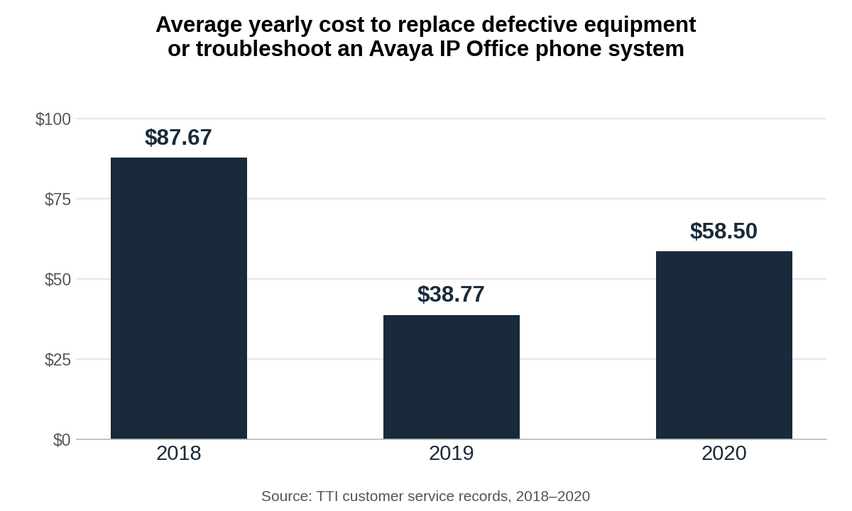
So, does Avaya IP Office Essential Edition really cost too much to maintain? When you compare the actual numbers to the cost of replacing the whole system, the answer is clear. 
It's time to invest in a new phone system but you're standing at the crossroads wondering what's right for your business.
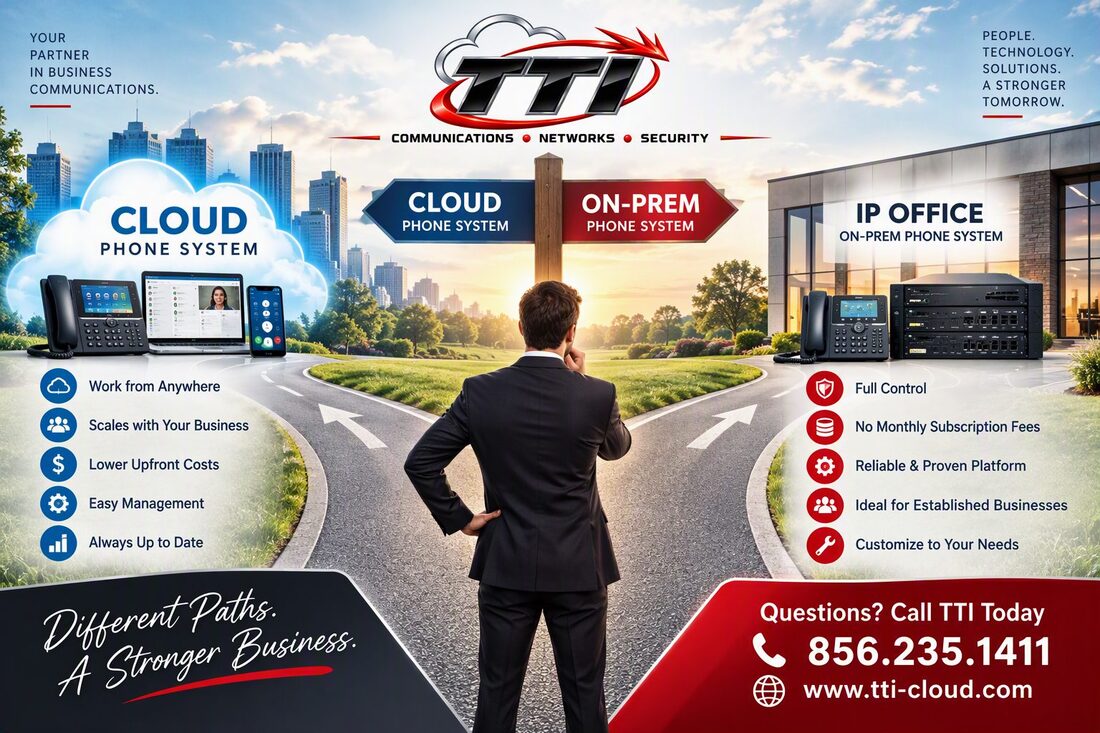
Updated October 2026 Here is how we help customers decide between a cloud and a premise-based phone system. Which Is Better for Small and Mid-Sized Companies?Cloud phone systems are usually the better fit for small and mid-sized companies because of their flexibility, easy growth, and lower upfront cost. They work especially well for businesses with remote or spread-out teams, since employees can work from anywhere. Premise-based systems, also called a PBX (private branch exchange), can make more sense for businesses that want full control of their phone system and already have the equipment and wiring in place. The right choice depends on your business needs, budget, and long-term goals. If flexibility and easy management matter most, a cloud system is likely the better option. If control and getting the most out of equipment you already own matter more, a premise-based system may be the way to go. When We Recommend a Cloud Phone System
Learn more about TTI's Cloud Phone System. When We Recommend Keeping a Premise-Based System
Thinking about upgrading your IP Office instead? Read whether the Preferred Edition upgrade is worth it. Not Sure Which Way to Go?TTI supports both cloud and premise-based systems, so we can give you a straight answer. We will look at your building, wiring, and how your team works, and recommend the path that fits. Business Phone Line Types ExplainedA Plain Guide to Business Phone Lines and What They Cost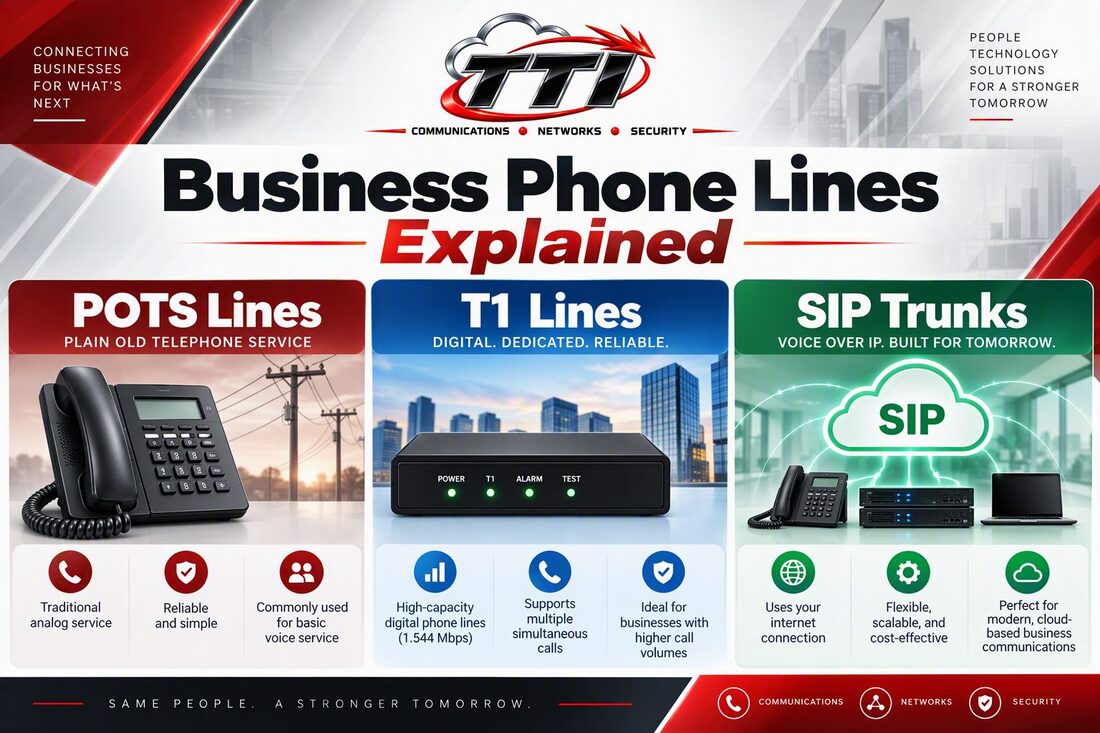
Phone Line TypesPOTS LinesSIP TrunksT1 LinesVoIP (Cloud Phone System)Updated October 2026 Business Phone Line Types ExplainedThe type of phone line your business uses affects call quality, which features you can use, and how easily you can grow. Here is a plain-language look at the four main line types TTI works with across NJ, PA, and NY, and when each one makes sense. POTS Lines (Traditional Copper)POTS stands for "plain old telephone service." These are the traditional copper lines from carriers like Verizon. They are simple and work with almost any phone system, but many carriers are phasing out copper and moving customers to fiber or digital service. Some carrier contracts also renew automatically, so it helps to know your renewal date before it passes. Cable providers such as Comcast also offer business phone lines. Settings like hunt groups and voicemail are sometimes set up incorrectly at installation, and TTI helps customers sort these out with the carrier. T1 LinesA T1 is a dedicated digital circuit that carries multiple phone calls at once. T1s were common for larger offices with on-premise phone systems, but they are expensive to keep and are being replaced by SIP trunks in most businesses. SIP TrunksSIP trunks deliver your phone lines over your internet connection to an on-premise phone system such as Avaya IP Office. You keep your existing system and phones while moving off copper or T1 lines. Plans with unlimited calling in the US and Canada are common for typical business use; high-volume users such as call centers are usually set up differently. Learn more about TTI SIP 500. VoIP and Cloud Phone SystemsWith a cloud phone system, the phone system itself is hosted online instead of in a box in your office. Your team can use desk phones, a mobile app, or a computer, and features such as call recording and texting are available depending on the plan. See TTI's Cloud Phone System. Rough Cost Comparison (2026)Here is how traditional carrier lines compare with TTI SIP trunks. Carrier figures are rough estimates based on what we see on our customers' phone bills, and actual costs depend on your location, contract, call volume, taxes, and fees.
For an exact comparison, TTI can review your current phone bill and show you what your options would look like. |